



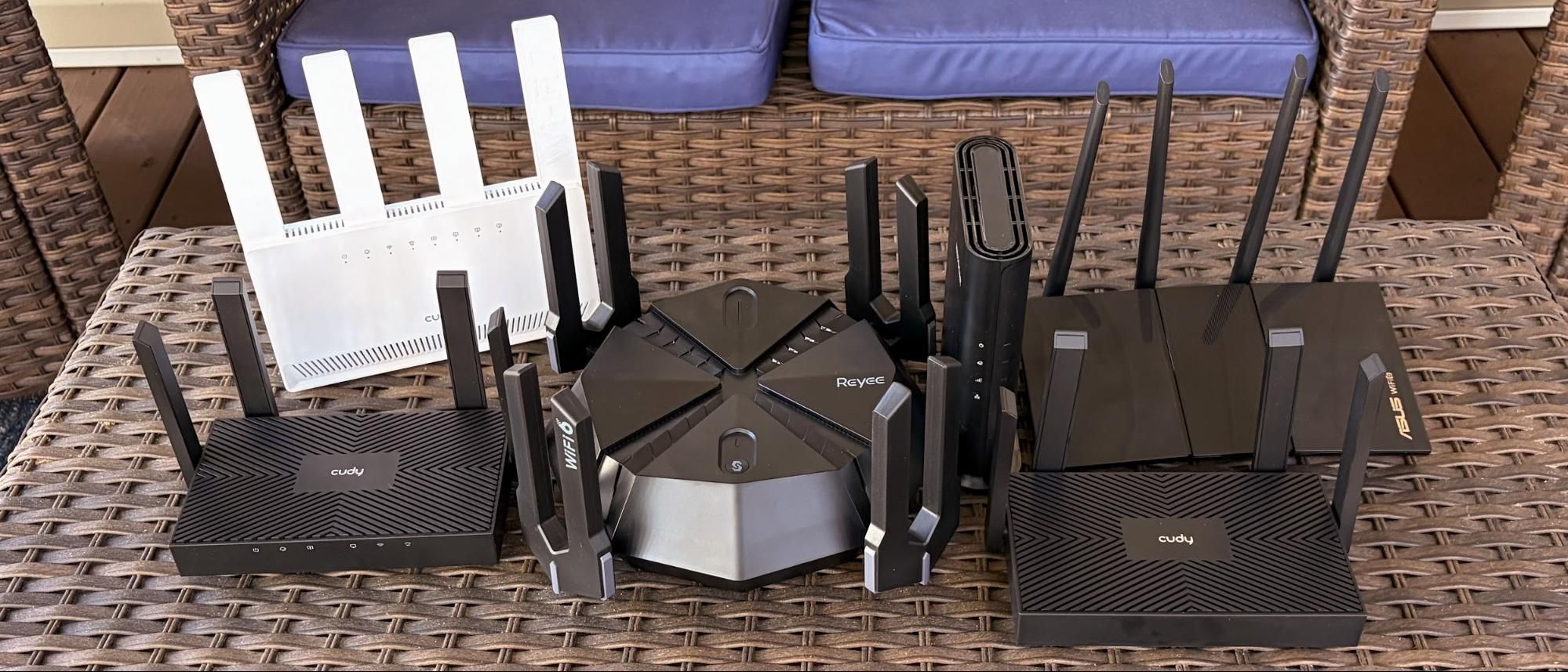
Best Budget Wi-Fi Routers roundup: Wi-Fi 6 versus Wi-Fi 7 benchmarked across seven low-cost routers
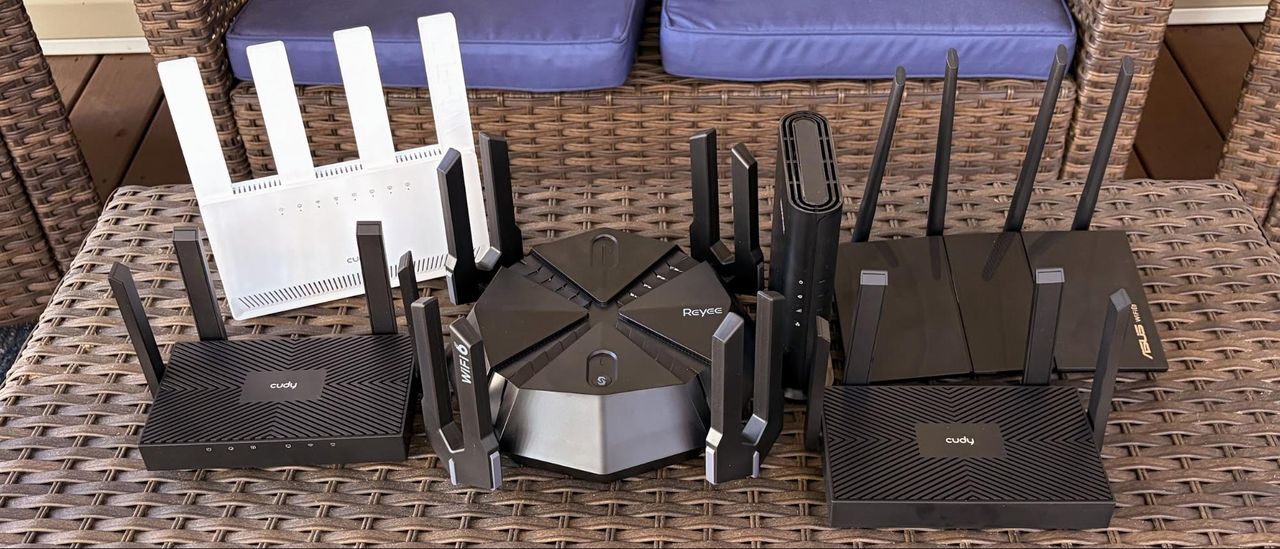
There’s a lot of activity in the lower end of the wireless router market, particularly in the sub-$100 price range. A wide variety of Wi-Fi 6 routers are available in this space from names you’re familiar with (Asus, TP-Link, Netgear, etc.) and some that might not ring any bells for you.
Further compounding matters is that Wi-Fi 7 has been around on the market long enough that prices for dual-band routers are dipping below $100.
Wi-Fi 6 versus Wi-Fi 7
The first Wi-Fi 6 devices started rolling out in 2019, while the first Wi-Fi 7 devices entered the market in late 2023. A lot of advancements have been made during that time in performance and security, including Wi-Fi 6E, which was a half-step between Wi-Fi 6 and Wi-Fi 7, and added the 6 GHz band.
|
Wi-Fi 6 |
Wi-Fi 7 |
|
|
IEEE Standard |
802.11ax |
802.11be |
|
Wireless Bands |
2.4 GHz, 5 GHz |
2.4 GHz, 5 GHz, 6 GHz |
|
Max Channel Bandwidth |
160 Hz |
320 Hz |
|
Maximum Spatial Streams |
8 |
16 |
|
Maximum Bandwidth per Stream |
1,200 Mbps |
2,400 Mbps |
|
Theoretical Maximum Data Rate |
9.6 Gbps |
46 Gbps |
|
Advanced Modulation |
1024 QAM |
4K QAM |
Where things get tricky with Wi-Fi 6 and Wi-Fi 7, however, is regarding the number of wireless bands supported. No matter which Wi-Fi 6 router you purchase, you’re getting two bands: 2.4 GHz and 5 GHz. However, Wi-Fi 7 routers are available in dual-band (2.4 GHz, 5 GHz) and tri-band (2.4 GHz, 5 GHz, 6 GHz) configurations. Without the higher-performing 6 GHz band, OEMs can offer dual-band Wi-Fi 7 routers at a much lower price point than their tri-band counterparts. However, in most cases, performance on these routers is more closely aligned with Wi-Fi 6 routers than with tri-band Wi-Fi 7 routers.
While performance may be similar, dual-band Wi-Fi 7 routers offer additional advantages over their Wi-Fi 6 predecessors. They support double the maximum bandwidth per stream (2,400 Mbps versus 1,200 Mbps) and spatial streams (16 versus 8). Dual-band Wi-Fi 7 routers also have a maximum channel bandwidth of 240 Hz compared to 160 Hz for Wi-Fi 6 and 320 Hz for tri-band Wi-Fi 7.
Other advancements include support for 4K QAM in Wi-Fi 7, versus 1,024 QAM in Wi-Fi 6. Finally, Wi-Fi 7 routers support multi-link operation (MLO), allowing wireless clients to connect and transmit data simultaneously across multiple bands (2.4 GHz and 5 GHz for dual-band Wi-Fi 7).
However, as you’ll see in our benchmark results, these added perks of Wi-Fi 7 don’t always translate into real-world performance benefits. So, we decided to gather a group of cheap Wi-Fi 6 routers and see how they perform in the real world, and if it’s worth saving a few bucks over a modern dual-band Wi-Fi 7 router.
Wi-Fi 6 and Wi-Fi 7 Router Specifications
|
Street Price |
Wi-Fi Standard |
# of Bands |
2.4 GHz Speeds |
5 GHz Speeds |
Coverage |
Ports |
|
|
$67 |
Wi-Fi 7 |
2 |
688 Mbps |
2,882 Mbps |
1,400 sq ft |
1 x 1G WAN, 3 x 1G LAN |
|
|
$87 |
Wi-Fi 7 |
2 |
688 Mbps |
5,764 Mbps |
3,000 sq ft |
1 x 2.5G WAN, 1x 2.5G LAN, 3 x 1G LAN, 1x USB 3.0, 1x USB 3.2, 1x USB 3.0 |
|
|
$50 |
Wi-Fi 6 |
2 |
574 Mbps |
2,402 Mbps |
1,400 sq ft |
1 x 1G WAN, 3 x 1G LAN |
|
|
$35 |
Wi-Fi 6 |
2 |
300 Mbps |
1,201 Mbps |
1,100 sq ft |
1 x 1G WAN, 3 x 1G LAN |
|
|
$70 |
Wi-Fi 6 |
2 |
574 Mbps |
1201 Mbps |
1,500 sq ft |
1 x 1G WAN, 4 x 1G LAN |
|
|
$70 |
Wi-Fi 6 |
2 |
574 Mbps |
1201 Mbps |
1,500 sq ft |
1 x 1G WAN, 4 x 1G LAN |
|
|
Reyee RG-E6 |
$70 |
Wi-Fi 6 |
2 |
1,148 Mbps |
4,804 Mbps |
3,000 sq ft |
1 x 2.5G WAN, 4 x 1G LAN |
The Frugal Bunch: Value-Priced Wi-Fi 6 Routers
Asus RX-AX1800S
The RX-AX1800S is a relatively large Wi-Fi 6 router constructed of high-quality materials, as we’d expect from Asus. The unit features four large, movable antennas. There are several blue LEDs up front, although their downward-facing placement makes it hard to tell at a glance what each one is for. With that said, the LEDs provide activity for 2.4 GHz and 5 GHz bands, LAN, internet status, and power.
The back panel features a GbE WAN port and four GbE LAN ports for your wired networking needs. In addition, there’s a physical power button, a pinhole reset button, and a dedicated Wi-Fi Protected Setup (WPS) button for connecting supported wireless networking devices to the network.
One of the biggest pluses of the RX-AX1800S is the use of the ASUSWRT dashboard UI, which offers a wealth of configuration options in an easy-to-use interface.
The street price for the RX-AX1800S is currently $69.99.
Netgear Nighthawk R6700AX
The Nighthawk R6700AX is another Wi-Fi 6 router from a well-known brand, in this case, Netgear. It’s a relatively compact hunk of black plastic with a tower-style form-factor. The base has a slightly larger footprint than the main body, which helps keep it upright on a table, shelf, or desk. The front is home to four LEDs that indicate the status of things like power, internet connectivity, and Wi-Fi.
One thing to note is that the R6700AX is incredibly light. Even with the wider base, it will topple over with the slightest tug of a network or power cable.
Moving to the back of the router, there’s not much going on, other than a GbE WAN and four GbE LAN ports. At this price point, Netgear didn’t feel it necessary to include a USB 3.x port for storage or a WPS button. However, you will find a small pinhole reset button above the top-most LAN port.
The R6700AX currently retails for $69.99.
Reyee RG-E6
The Reyee RG-E6 is a Wi-Fi 6 gaming router, and you can tell its intended market by its eight antennas lining its perimeter. However, the antennas are not individually posable. Instead, there are two antennas per tuning fork-shaped appendage. And each tuning fork only moves a few inches inward.
Once you get past the looks, there are functional bits worth noting as well. There’s a single 2.5 GbE WAN port on the back, along with four 1 GbE ports. One of those four GbE ports is designated as a Game port. If you want to improve wired performance, the Game port can be aggregated with one of the remaining three GbE ports. However, you won’t find a USB port for adding storage to share across your network.
Other items of note include cutouts on the bottom for wall-mounting the router and a single pill-shaped button at the top front of the RG-E6. According to Reyee, this is the Mesh button, which, when pressed, is used for setting up two or more supported Reyee routers in a mesh network configuration.
The RG-E6 features a surprisingly well-designed web interface that is easy to navigate and has plenty of options to play around with. The main home screen you see when first entering the web interface shows a picture of the router in the right pane, along with current CPU utilization and the number of connected clients. The left side of the screen shows network ping status, the current upload/download rates, devices with priority access to network resources, the name of the device connected to the Game Port, and controls for the dedicated Game Wi-Fi network. You’ll also find navigational tabs: Clients, Internet, Wi-Fi, and More (which has advanced configuration settings).
One of the downsides of purchasing an older Wi-Fi 6 router reared its ugly head not long after we bought the RG-E6 from Amazon for testing. A couple of days after our purchase, Amazon said that it was no longer selling the item. I then went to Reyee’s website and could find no product listing page for the router. I contacted customer support to inquire about obtaining an updated firmware version, since the UI’s integrated firmware update function wasn’t pulling any new software. An employee informed me that the RG-E6 was no longer being produced and that I would have to contact Reyee’s customer service department each time I wanted to download a new firmware (which the rep provided in a .tar file).
Before the RG-E6 was unceremoniously booted from Amazon’s website, it sold for around $70.
Cudy WR1500
Cudy is a popular provider of low-cost networking gear, as we tested the company’s products for our desktop Wi-Fi adapters roundup. Cudy offers several Wi-Fi 6 routers at a low price point, including the WR1500. I’ve seen some cheap plastic in my days, but the house of the WR1500 takes the cake. The housing is made of very thin plastic, which contributes to the WR1500’s featherweight nature.
The downside is that, with power and network cables attached, the WR1500 has a hard time staying planted on the desk due to its weight (or rather, lack of it). In addition, there’s only a single LED, and it’s at the back of the unit. It turns red if there’s a power issue, and blue if the unit is powered on. Also on the back are a single GbE WAN port, three GbE LAN ports, a reset button, and a WPS button. The WR1500 features four movable antennas and includes wall-mounting cutouts on the bottom.
Cudy provides a surprisingly comprehensive web interface for configuration and managing the router, although the design is rather spartan. You’ll find parental controls, diagnostic tools, and more advanced settings for fine-tuning wireless performance. There’s also a well-designed smartphone app, which I find easier to use than the web interface, that supports remote management when you’re not on your home network, after you create a Cudy cloud account.
The Cudy WR1500 is the cheapest of the bunch here, with a street price of just under $35.
Cudy WR3000
The Cudy WR3000 looks nearly identical to the WR1500, but the plastic is thicker and higher quality. It also weighs significantly more, which prevents the tipping behavior noticed on the WR1500. It includes six status LEDs up front (unlike the WR1500) and still includes the moveable antenna.
You’ll find the same port layout on the back as found on the WR1500: one GbE WAN and three GbE LAN. There’s also the requisite reset button and a WPS button.
The Cudy WR3000 includes the same web interface and smartphone app as the aforementioned WR1500.
The current street price for the Cudy WR3000 is a low $49.
Dual-Band Wi-Fi 7 Routers for Under $100
TP-Link Archer BE3600
The TP-Link Archer BE3600 is a known quantity around here. It’s a well-rounded dual-band Wi-Fi 7 router with four movable antennas and a wall-mountable design. Unlike the Wi-Fi 6 routers assembled here, the Archer BE3600 features a 2.5 GbE WAN port. In addition, TP-Link gives you one 2.5 GbE LAN port and three GbE LAN ports. Another thing you’ll find here that isn’t available on the Wi-Fi 6 competition is a USB 3.0 port for adding networked storage (it even supports Time Machine backups for Macs).
TP-Link provides a well-designed web interface for configuring the Archer BE3600. It has five primary tabs at the top of the homepage for navigation: Network Map, Internet, Wireless, HomeShield, and Advanced. There’s also TP-Link’s Tether app if you’d prefer to set up or manage the router with a smartphone/tablet.
You can find the Archer BE3600 for as low as $86.99.
Cudy WR3600E
The WR3600E is a compact Wi-Fi 7 router that sits vertically and has a wide base to ensure that it doesn’t tip over. There are four fixed antennas protruding from the top of the body, and “Wi-Fi 7” is printed on the rightmost antenna. A full allotment of status LEDs is included on the front for power, 2.4 GHz wireless, 5 GHz wireless, and the three network ports.
While the Archer BE3600 gives you one 2.5 GbE WAN and one 2.5 GbE LAN port, all four of the ports on the back of the WR3600E are GbE (including the WAN). The WR3600E also lacks the USB 3.0 port of the Archer BE3600.
The WR3600E is priced at around $67 after a coupon on Amazon.
Performance
We ran all of the Wi-Fi 6 and Wi-Fi 7 routers through our usual wireless testing regimen. Our Wi-Fi client testing rig features an MSI Pro B650M-A Wi-Fi motherboard, AMD Ryzen 5 7600 processor, 32GB of DDR5 memory, a 1TB PCIe 4.0 SSD, an MSI Herald-BE Wi-Fi 7 adapter, and Windows 11 Home. Our server is a Windows 11 Home machine with a 10 GbE network card connected to the fastest LAN port on each router we test.
Our iPerf3 throughput tests are conducted at six-foot and 25-foot distances, with and without network traffic. In the congested traffic tests, we add six wireless clients streaming 4K YouTube videos across multiple wireless bands.
Among all routers, the Archer BE3600 had the best iPerf3 performance at close range (6 feet) without traffic. The router topped 1,100 Mbps, while the RG-E6 ranked second at 852 Mbps. The Cudy WR3600E came in third at 782 Mbps, while the RX-AX1800S wasn’t far behind at 777 Mbps.
When we moved the testing to 25 feet, the Archer BE3600 took a big tumble from its first-place perch, dropping to just 382 Mbps and falling to third place. The RG-E6 took top honors (582 Mbps), while the WR3600E came in a close second (564 Mbps).
The Archer BE3600 again flexed its muscle in the 2.4 GHz iPerf3 test without traffic at close range, nailing a heady 214 Mbps. The next closest competitor was the Nighthawk R6700AX at 135 Mbps. At 25 feet, the Archer BE3600 slipped into second place at 51 Mbps, while the Reyee RG-E6 just edged it out with 52 Mbps.
Not surprisingly, the rankings among the assembled Wi-Fi 7 and Wi-Fi 6 routers didn’t look much different with congested traffic in iPerf3. The Archer BE3600 again shot out to a commanding lead at close range (1,030 Mbps), but fell well back at long range (374 Mbps). The RG-E6 claimed second place at short range (848 Mbps) and first place at long range (566 Mbps).
On the 2.4 GHz band, the Archer BE3600 again took first place (205 Mbps) and second place at long range (45 Mbps).
Closing Thoughts
There’s no clear-cut winner in every single performance situation here, but there’s no question that the TP-Link Archer BE3600 is the fastest at close range on the 5 GHz band and mid-pack at long range. On the 2.4 GHz band, the Archer BE3600 is far and away the fastest at close range, and among the top performers at long range.
With a street price of less than $80, it’s hard to argue against the Archer BE3600, as you not only get a 2.5 GbE WAN, but TP-Link also gives you a 2.5 GbE LAN port, which you won’t find on the other routers.
If you’re looking for balanced performance at an even more affordable price, both the Cury WR3600E and Asus RX-AX1800S offer similar performance profiles despite the former being Wi-Fi 7 and the latter being Wi-Fi 6. But for my money, I’d lean toward the RX-AX1800S for its stellar ASUSWRT software suite, which is among the best in the business.
If all you simply want to provide wireless internet connectivity to a handful of devices for the least possible price and don’t care about blazing fast performance, the Cudy WR1500 is your best option here. Performance is near the back of the pack, but 668 Mbps at close range and 237 Mbps at long distance should be enough to satisfy most non-gamers or those who work from home. The router software is solid, Cudy provides a smartphone app, and remote management is supported. And with a street price of under $35, it ticks all the right boxes for the ultimate penny pincher.