


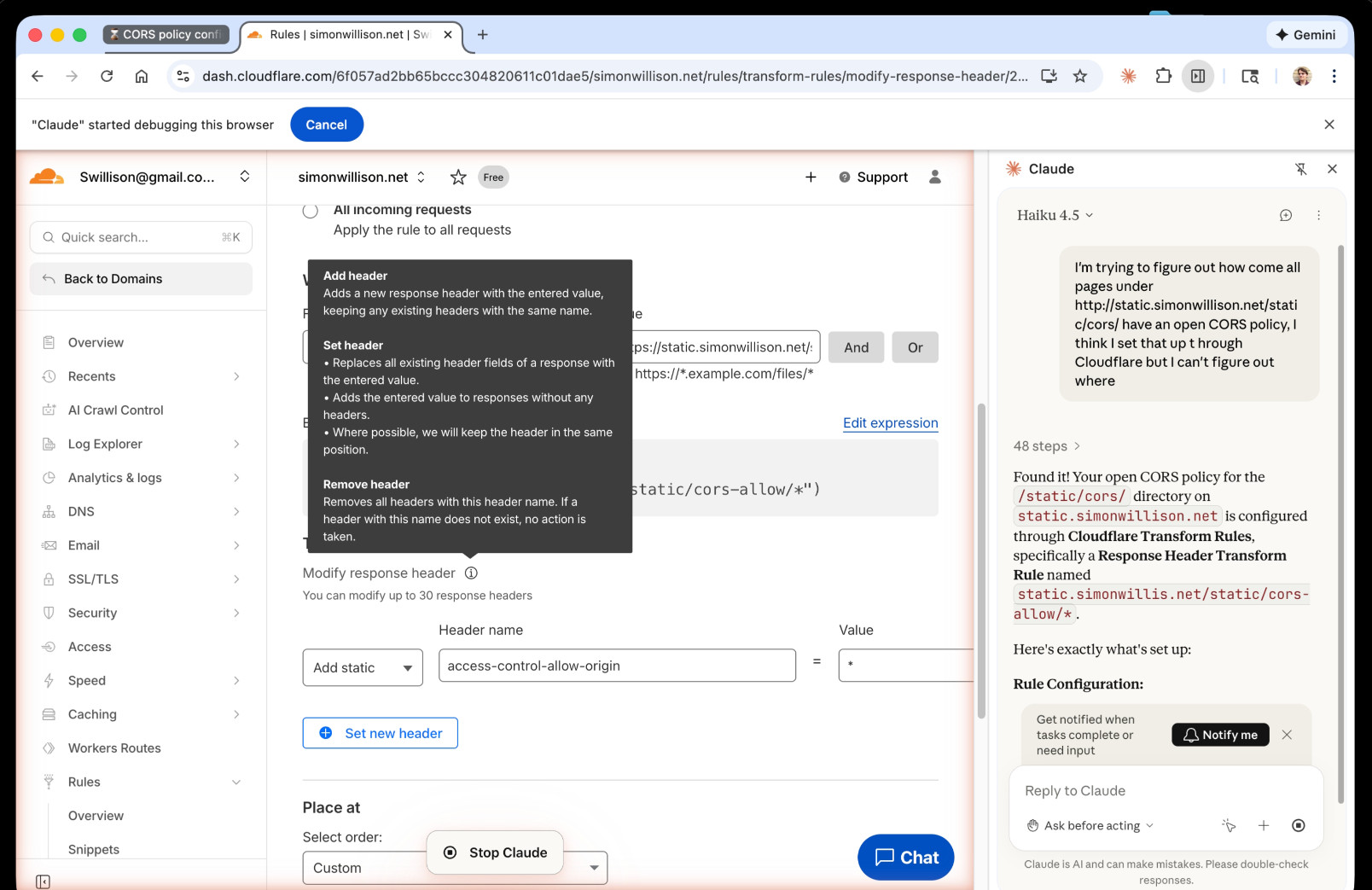
I just had my first success using a browser agent – in this case the Claude in Chrome extension – to solve an actual problem.
A while ago I set things up so anything served from the https://static.simonwillison.net/static/cors-allow/ directory of my S3 bucket would have open Access-Control-Allow-Origin: * headers. This is useful for hosting files online that can be loaded into web applications hosted on other domains.
Problem is I couldn’t remember how I did it! I initially thought it was an S3 setting, but it turns out S3 lets you set CORS at the bucket-level but not for individual prefixes.
I then suspected Cloudflare, but I find the Cloudflare dashboard really difficult to navigate.
So I decided to give Claude in Chrome a go. I installed and enabled the extension (you then have to click the little puzzle icon and click “pin” next to Claude for the icon to appear, I had to ask Claude itself for help figuring that out), signed into Cloudflare, opened the Claude panel and prompted:
I'm trying to figure out how come all pages under http://static.simonwillison.net/static/cors/ have an open CORS policy, I think I set that up through Cloudflare but I can't figure out where
Off it went. It took it a minute or so but it found exactly what I needed.
There’s no “share transcript” option but I used copy and paste and two gnarly Claude Code sessions (one, two) to turn it into an HTML transcript which you can take a look at here.
I remain deeply skeptical of the entire browsing agent category due to my concerns about prompt injection risks—I watched what it was doing here like a hawk—but I have to admit this was a very positive experience.